
HVAC Estimate Template
Write the estimate before the work starts: the job, the scope, parts and labour with a total, a valid-until date, photos of the unit and a line for the customer to sign and accept.
Your business
Your logo
Printed at the top of the PDF. Stays in this browser. Pro also removes the footer line.
Customer and job site
Job details
Parts, materials and labour
Total: $0.00
Photos
Take a photo or pick from your gallery. Photos are shrunk on your device and go into the PDF; they are not uploaded. Up to 12.
Signatures
Sign inside the box with a finger, pen or mouse.
My reports
Nothing saved yet. Reports you download or save appear here, in this browser only.
nullnullnullThis month
Free · runs in your browser · nothing is uploaded
An HVAC estimate template is the document you give a customer before the work starts. It says what you plan to do, what it will cost and how long the price holds. If the customer agrees, they sign it, and it becomes the starting point for the work order and later the invoice. Updated November 2026.
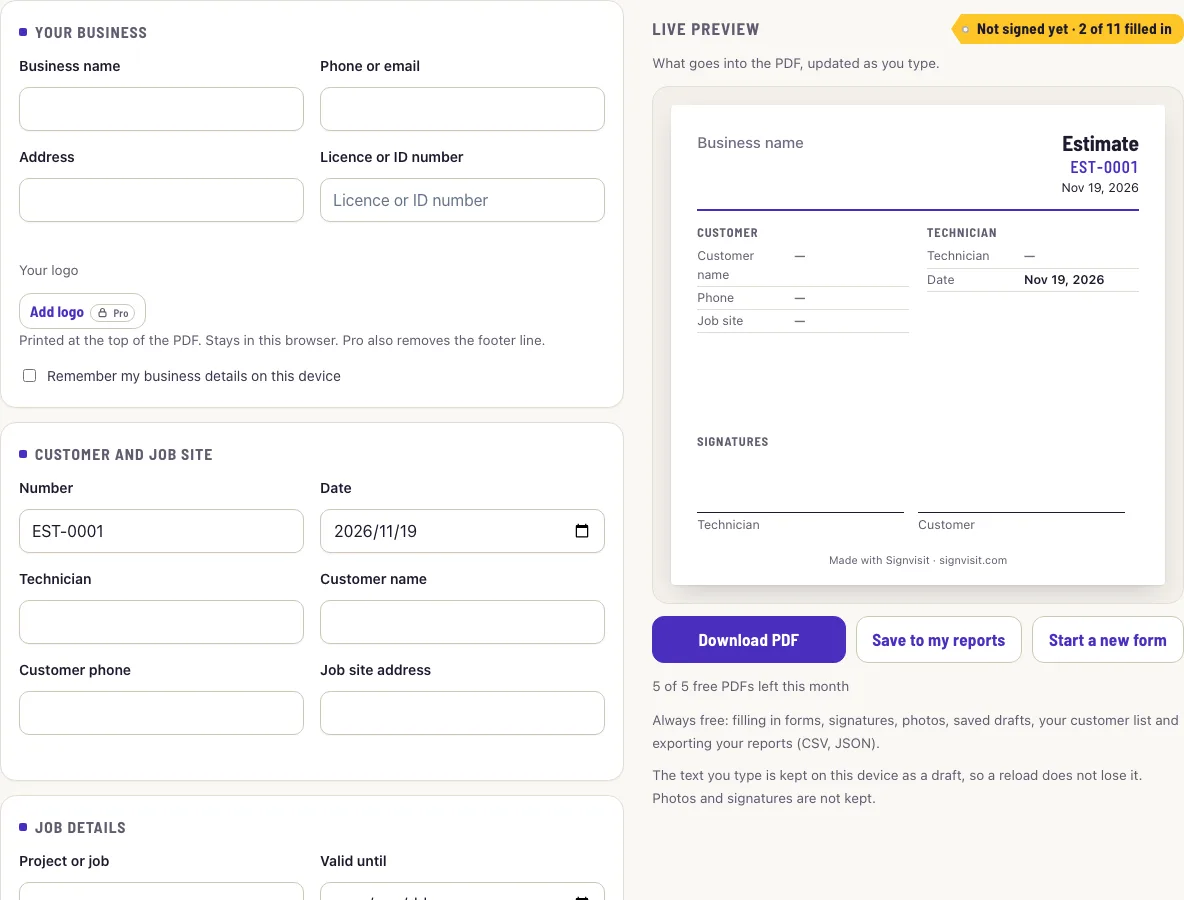
This form is built for that. It asks for the customer and the job, the system or equipment, a scope of work, what is not included, parts and labour with tax and a total, and a valid-until date. Add photos of the unit, the data plate or the fault, then let the customer sign on the screen. Everything happens in your browser, and you download one PDF.
How to write an HVAC estimate
- Enter your business name and contact. Tick the box to keep them on this device for next time.
- Check the estimate number and the date. Enter the customer, the phone number and the address of the job.
- Fill in the project or job, for example “replace condenser unit” or “annual maintenance plan”.
- Pick the valid-until date. A short validity, such as 30 days, protects you when part prices move.
- Name the system or equipment: type, make, model and size if you know it.
- Write the scope of work in plain sentences: what you will do, in order, and what the customer will see when you finish.
- Write what is not included and your assumptions, for example that existing ductwork is in good condition, or that access to the roof is clear.
- Add the parts with a quantity and a unit price. Add the labour hours and your hourly rate, and the tax rate that applies.
- Photograph the data plate and the area of the job. Add the photos to the estimate.
- Sign, ask the customer to sign to accept, and download the PDF. Send it from your phone while you are still at the door.
What should an HVAC estimate include?
The customer’s name and the job address, the date, a description of the system, the scope of work, a price that is broken into parts and labour or given as one total, and the date until which the price stands. Add a line about what is not included. Most disputes about a price are about something that the customer thought was part of the job and the contractor did not. Writing it down before the work starts is the cheapest way to avoid that.
Estimate or quote: is there a difference?
In everyday use the two words are often the same document, and you will see both in searches. Some contractors use the word estimate for an approximate price that can change, and quote for a fixed price that they commit to. Some places treat the two differently in law or in contracts. If your estimate is a fixed price, say so on the form in the scope box; if it is approximate, say what could change it. Check the rules that apply where you work.
Estimate, work order and invoice
The estimate comes first and sets the price. The work order records that the work was authorised and then done. The invoice asks for payment. For a small job the same details are copied from one document to the next, which is why the fields here match the other forms on this site. For a visit that includes checks of the unit, the HVAC service report template has an eight-point checklist.
How long should an estimate be valid?
Long enough for the customer to decide, short enough that you are not tied to a price that has gone out of date. Thirty days is common for a repair or a small installation. For equipment whose price changes often, a shorter period is fair. The date goes in the valid-until field and is printed on the PDF.
What should go in the not-included box?
Anything that a reasonable customer might expect but that is not in the price: permits, electrical work, ductwork repairs, removal of old equipment, drywall repairs after access, a second visit if parts are on order. The box also holds your assumptions, such as “price assumes the existing line set can be reused”. If the condition on site turns out to be different, the assumption tells both of you why the price has to change.
Frequently asked questions
What should an HVAC estimate include?
The customer and the job address, the system, the scope of work, parts and labour with a total, what is not included, the date the price is valid until, and a signature to accept.
Is an HVAC quote the same as an estimate?
Often it is the same document with a different name. Some contractors use quote for a fixed price and estimate for an approximate one. Say which you mean in the scope box.
Can the customer sign to accept the estimate?
Yes. They sign with a finger or a stylus in the customer box on the phone or tablet. The PDF holds the signature as an image next to the name you type.
Can I leave the prices off?
Yes. Untick the price box. The PDF then lists parts with quantities and no labour or total.
Can I use it for a repair as well as an installation?
Yes. Put the job in the project field and describe the work in the scope box. For a repair, list the parts you expect to use.
How many photos can I add?
Up to 12 per estimate. They are reduced on your device to keep the PDF small.
Is it free, and what does Pro add?
Filling in the form, photos, signatures, saved drafts and saved customers are always free, with no account, and you get 5 PDF downloads a month. Pro, on the pricing page, removes that limit, prints your logo with no footer line and shows your full report history.
Do I need an account or a download?
No. The form runs in your browser, your details stay on your device, and you can download the PDF straight away.
Related tools
- Work order template: record the job once the customer has accepted the estimate.
- HVAC service report template: the visit report with an eight-point checklist.
- Work order example: filled-in examples, including an HVAC service.
- Job sheet template: the UK name for the same form, A4 with £.
- Draw signature online: the signature box on its own, as PNG, SVG or PDF.
- Work order forms: all the work order forms in one list.