Service Report Template
Record the equipment, what the customer reported, what you found, what you did and what you recommend. Add photos and a customer signature, then download a PDF.
Free · runs in your browser · nothing is uploaded
A service report template is the form for the written record of a service visit. It says which equipment was looked at, what the customer reported, what the technician found, what was done and what should happen next. The customer keeps a copy, the office files one, and if there is a warranty or a dispute later, it is the document that shows what happened on the day.
This template has the four sections in that order and a place for the equipment, the model and the serial number. Photos go in a block of their own with captions, and both the technician and the customer can sign. Prices are optional: use the report with parts and labour when it doubles as the basis for an invoice, or switch them off for a contract visit.
How to write a service report with this template
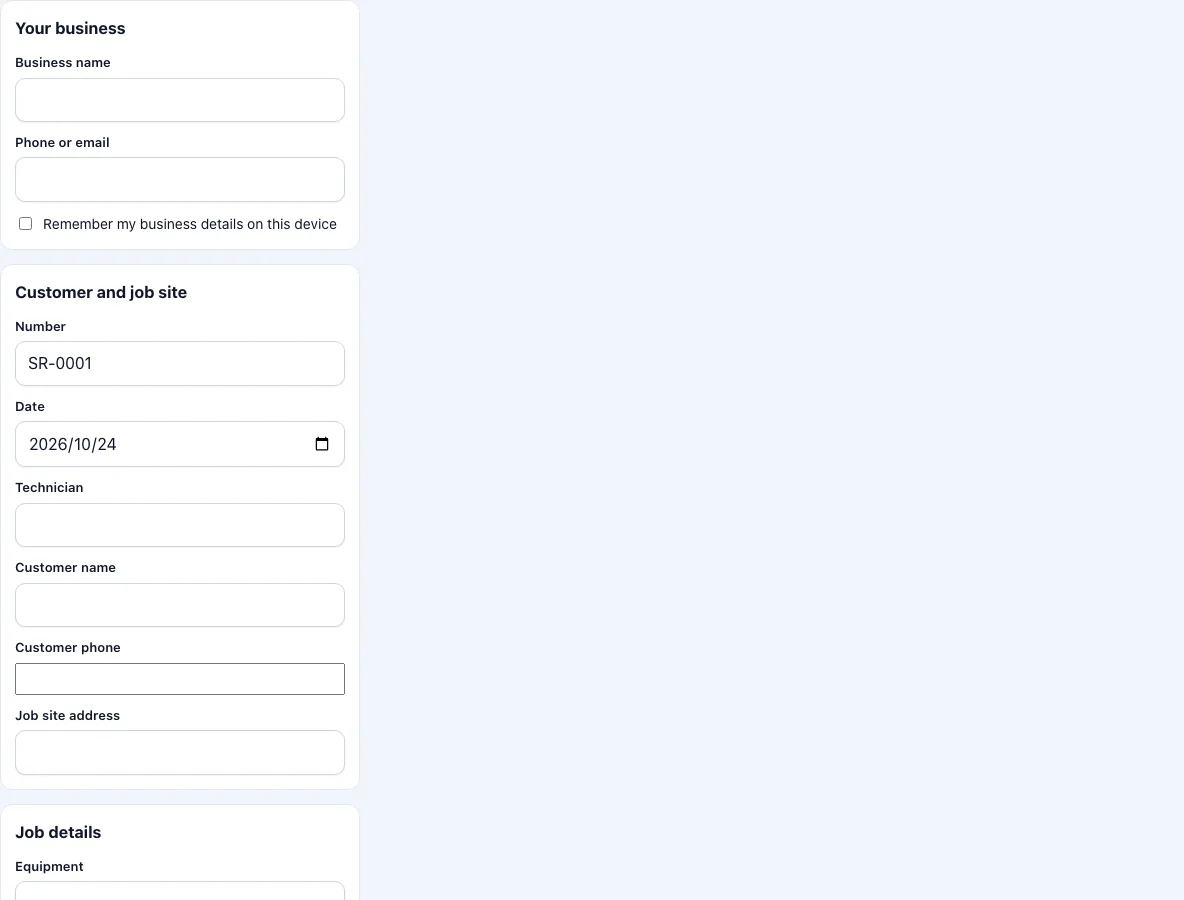
Add your business name and phone or email at the top. Tick the box if you want them filled in next time.
Check the report number and the date. Add the technician and the customer’s name, phone and the address of the site.
Enter the equipment, the model and the serial number. The serial number is what you search for when the same unit comes back.
Under reported problem, write what the customer said, in their words if you can. This shows what they asked you to look at.
Under findings, write what you saw and measured. Keep to facts: readings, error codes, worn parts.
Under work performed, list what you did, in the order you did it.
Under recommendations, write what should happen next and when. Keep this separate from the work done so that the customer can see the difference between the two.
Add parts and labour if the report carries prices. Add photos, with a caption for each.
Collect both signatures and press Download PDF.
Send the PDF to the customer from your phone, and keep the original in your records with the equipment’s file. When the unit comes back, the serial number finds the report.
If a part is on order and the visit will be completed later, write that under recommendations and make a second report for the second visit.
What is a service report?
A service report documents a visit to equipment or a site. It is not a quote and not an invoice; it is evidence of what was seen and done. Typical readers are the customer, the office that plans the next visit, and a manufacturer who needs proof of service for a warranty claim. Because the report may be read months later by someone who was not there, it should stand on its own: equipment identified by model and serial number, the date, who did the work, and what was done.
How do I write a good service report?
Write findings and work performed in plain, specific sentences. “Replaced the 25 microfarad run capacitor; compressor now starts” is more useful than “fixed unit”. Put numbers where you have them: a pressure, a temperature, an error code, a count of hours on the meter. Mark anything that you could not check and say why. Keep opinion out of the findings and put it under recommendations, where the customer expects it.
What is the difference between a service report and a work order?
A work order is about the job: it authorises or records the work and usually carries the costs. A service report is about the equipment: what condition it was in and what is advised. Many small companies use one form for both. This template covers the report side. If the main purpose is to record a job with parts, hours and a total, the work order template is the closer fit, and both create the same kind of PDF.
Where are the photos placed?
In a section after the text, two to a row, each with its caption under it. Up to 12 photos fit in one report. They are reduced to a long edge of 1,280 pixels on your device, which keeps the PDF small enough to send by email.
Frequently asked questions
How do I write a service report?
Fill in the sections from top to bottom: reported problem, findings, work performed, recommendations. Then add photos and signatures. The steps above show what to put in each part.
What is a service report used for?
It records a service visit for the customer and for your own files, and supports warranty claims and later visits to the same equipment.
Should the customer sign a service report?
A customer signature shows that they were present and received the report. It is common practice, and the form has a box for it, but it is your decision whether you ask for it.
Can I leave out the prices?
Yes. Untick the price box and the PDF shows parts with quantities only.
Can I save the report to edit later?
The text you type is kept as a draft on this device. The photos and signatures are not, so finish and download the PDF in one sitting.
Is a service report legally required?
That depends on the trade and the country, and on any contract or warranty terms. This tool makes a document; it does not say what your trade requires.
Can I use the report for a one-off repair?
Yes. Fill in the reported problem and the work performed, leave recommendations empty and switch off the prices if you do not charge for the visit.
Related tools
- Field service report template: the same report with a visit checklist and a follow-up flag.
- Work order template: when the document records a job with parts, hours and a total.
- HVAC service report template: equipment type, refrigerant and an HVAC checklist.
- Service ticket template: a short ticket for a request and its resolution.
- Draw signature online: create a signature file on its own.
- Work order forms: all the work order forms in one list.