Job Sheet Template
Fill in the job number, the site contact, the work carried out, materials and hours. Add photos, let the customer sign on the screen and download one A4 PDF.
Free · runs in your browser · nothing is uploaded
A job sheet template is the form that an engineer or tradesperson fills in for one job: what the customer asked for, what was done, which materials were used, how long it took and who signed it off. In the UK, job sheet is the usual name for what other countries call a work order or a service report. The office uses the sheet to write the invoice.
This job sheet is filled in on the page instead of in Word. You type on the phone, add photos of the work, hand the phone to the customer to sign with a finger and download an A4 PDF. The currency is set to pounds and the paper to A4; both can be changed. Prices, hours and VAT are optional, so the same sheet works as a simple record of attendance or as the document behind an invoice.
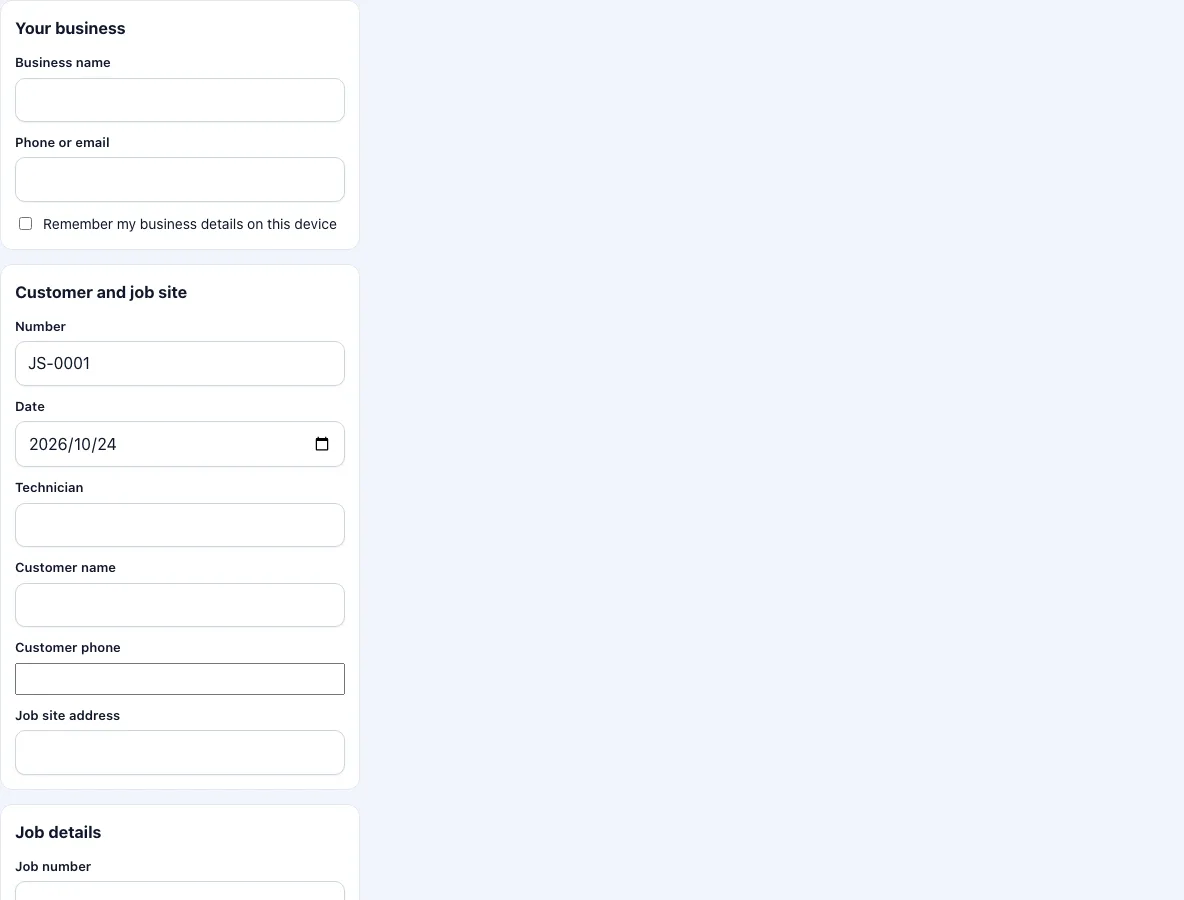
How to fill in the job sheet
- Enter your business name and phone or email. Tick the box to keep them on this device so the next sheet starts filled in.
- Check the sheet number and the date. The number counts up for each sheet you download from this device. Add the engineer’s name.
- Enter the customer, their phone and the address of the site.
- Enter the job number, the site contact (the person who let you in or who will accept the work) and the trade or job type.
- Under job description, write what was asked for. Under work carried out, write what you did, in order. Under further work needed, write anything left open.
- Go through the four job checks: work area made safe before starting, job completed as described, work area left clean and tidy, customer shown the completed work. Set each to OK, Fault or N/A.
- Add materials with quantity and unit price. Add the labour hours, the hourly rate and the VAT rate. The total updates as you type. Untick the price box for a sheet without money.
- Add photos before and after, with a short caption for each.
- Get the customer’s signature and sign yourself. Press Download PDF.
The text you type is kept as a draft on the device. Photos and signatures are not, so download the PDF before you close the page.
What is a job sheet?
A job sheet is the paper record of one job. It names the customer and the site, describes the work, lists materials and time, and carries a signature. Engineers, installers and maintenance firms use it to prove that a visit took place, to hand the customer a copy before they leave and to give the office what it needs for the invoice. It is the same document as a work order or a service report, under the name that British and Irish trades use.
What should a job sheet include?
The job number, so that the sheet can be found again; the date and the engineer’s name; the customer and the address of the site; a description of what was asked for; what was actually done; materials with quantities; labour time; and the customer’s signature. A site contact is useful when the person who booked the job is not the person who is there. Photos are not required, but a picture of the work before you start protects you if something is said afterwards about its condition.
How are the totals worked out?
Each materials line is the quantity times the unit price, rounded to the penny. Labour is hours times the hourly rate. VAT is applied to materials and labour together and added. Example: 2 items at 10.005 each and 1.5 hours at 80 give materials of 20.01 and labour of 120, a subtotal of 140.01; at 8.25 percent that is 11.55 tax and 151.56 in total. You type the VAT rate; the page does not choose it for you.
A4 or Letter?
The sheet opens on A4, the paper size in the UK and most of Europe. If you print to US Letter, change the paper size under the notes before you download.
Job sheet or work order?
The wording differs by country, the document is the same. If you are writing for a US customer, the work order template uses dollars and Letter paper as defaults. For a report of findings and recommendations after a visit, use the service report template.
Frequently asked questions
What is a job sheet?
A record of one job with the customer, the site, the work done, materials, time and a signature. Trades in the UK use the name for what is called a work order elsewhere.
What is the difference between a job sheet and a timesheet?
A job sheet is about a job and its customer. A timesheet is about a worker’s hours across several jobs. This form records the hours for one job.
Does the customer have to sign?
No, but a signature shows that they were there and received the sheet. The form has a box for it.
Can I show prices in pounds?
Yes. The currency symbol is set to the pound sign and can be changed to any symbol of up to four characters.
Are my photos uploaded?
No. They are reduced on your device and placed in the PDF.
Can I add my company logo?
Not in this version. A logo on the PDF is on the list for the planned Pro version, described on the app page.
How many photos can I add?
Up to 12 per sheet, each with a caption. They are reduced on your device before they go into the PDF.
Can I use it offline?
Once the page has loaded, the form, the photos, the signature and the PDF work without a connection as long as the tab stays open.
Related tools
- Work order template: the same form with dollars and Letter paper.
- Service report template: findings and recommendations after a visit.
- Work order generator: numbered blank sheets to print.
- Work order example: filled-in examples for common trades.
- Draw signature online: make a signature image on its own.
- Work order forms: all the work order forms in one list.