Field Service Report Template
Write the report while you are still on site: why you came, what you found, what you did, a short visit checklist, photos and the customer's signature, in one PDF.
Free · runs in your browser · nothing is uploaded
A field service report template is the form for a technician who works at the customer’s site rather than in a workshop: an engineer who maintains lifts, a technician who services copiers, an installer who wires a shop. The report says why the visit happened, what was found, what was done, what is left to do and whether the customer accepted the work.
This version is made for a phone or tablet. It has a short checklist for the visit, a flag for follow-up work, fields for the site and the equipment, and room for 12 photos with captions. You finish it on site, let the customer sign on the screen and send the PDF before you drive away.
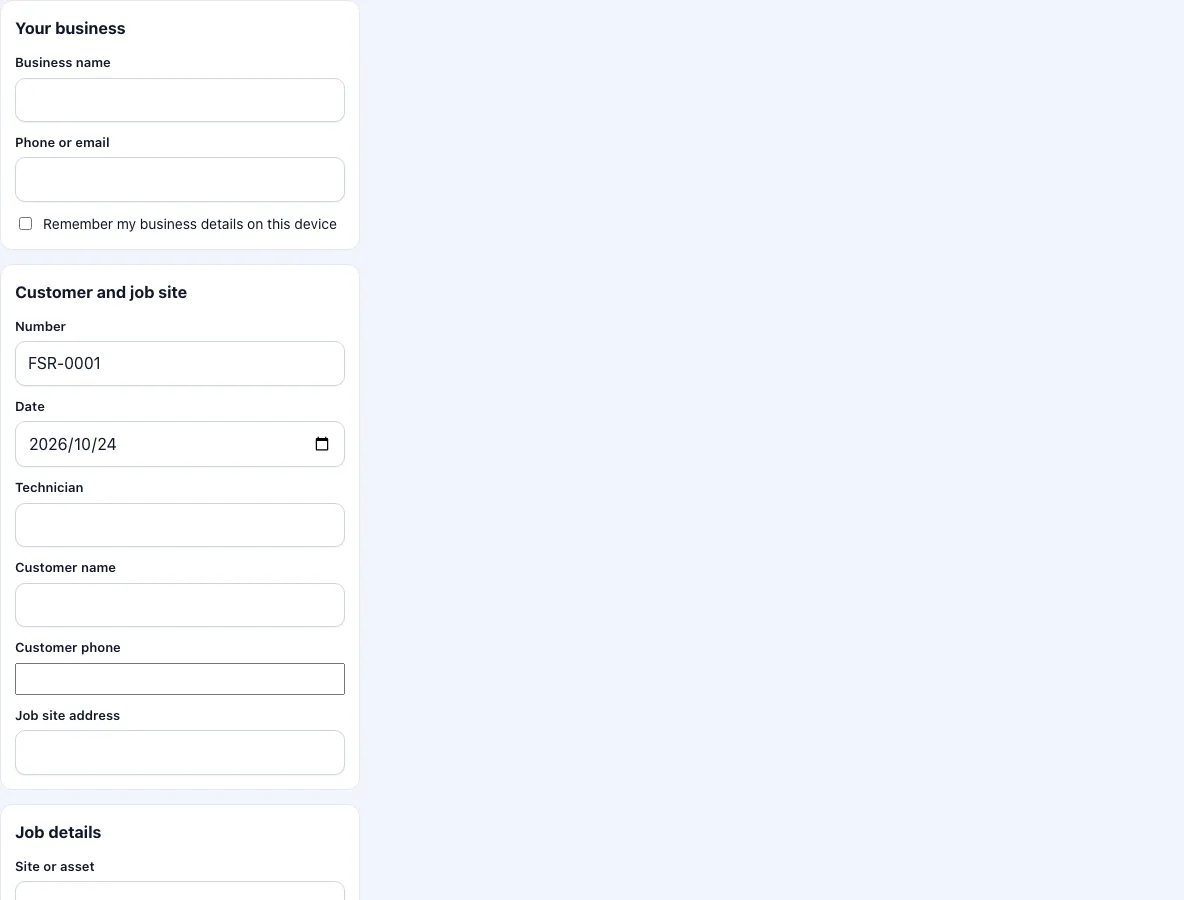
How to complete a field service report
Enter your business name and contact. They stay on this device if you tick the box.
Check the number and date. Enter the customer, their phone and the address.
Enter the site or asset, the equipment and the serial number. Set the follow-up flag to Yes if the problem is not solved.
Under reason for the visit, write what was requested or what the schedule said.
Under findings, write what you saw and measured.
Under work performed, write what you did. Under recommendations, write what you advise next.
Go through the visit checklist: area made safe, work area left clean, customer shown what was done. Set each to OK, Fault or N/A.
Add parts and hours if the report carries a charge.
Take photos before and after, and give each a caption of a few words.
Get the signatures and press Download PDF.
If you have to leave a job open, set the follow-up flag to Yes and write the reason and the date you expect to come back under recommendations. The customer’s signature then confirms the visit and not that the job is finished.
Send the PDF from your phone before you leave the site, so that the customer has it while you are still there to answer questions.
What should a field service report include?
At minimum: who did the work and for whom, when and where, which equipment, why the visit was needed, what was found, what was done, and what comes next. Add the time spent and the parts used if the customer pays for them. Add photos when the state of the equipment or the site matters, and the customer’s signature when you need to show that they saw the result.
Two things set a field report apart from a shop report. The site matters, so the address and the asset or room are part of the record. And the customer is usually there, so the report can be reviewed and signed before you leave.
Why a visit checklist?
A checklist keeps the small steps from being forgotten and gives the customer something to check. The three items here are about the visit rather than the equipment: whether the area was made safe before work began, whether the work area was left clean, and whether the customer was shown what was done. If you service one kind of equipment, use a trade page instead; the HVAC and electrical templates have checklists that fit those jobs.
What does the follow-up flag do?
It prints the choice on the report next to the equipment details. It is a visible marker for the office that a second visit is needed, so that open items do not get lost between the field and the schedule. The detail goes under recommendations.
How big will the PDF be?
Photos are scaled to a long edge of 1,280 pixels and stored as JPEG. With six photos the PDF is typically a few hundred kilobytes to about two megabytes, which is fine for email.
How is a field service report used after the visit?
The office files it with the customer record and uses it to plan the next visit. The customer keeps a copy as proof of what was done. If the equipment belongs to a manufacturer’s warranty, the report with the serial number and the date is the evidence that a service took place. Support teams read the earlier reports before a call-out: which part was replaced, what the readings were, what was advised and not done.
Frequently asked questions
What should a field service report include?
The visit date and the technician, the customer and the site, the equipment, the reason for the visit, the findings, the work performed, recommendations, and a signature. Photos and a parts and labour list are added when they matter.
Can I use it without a signal at the customer’s site?
The page needs a connection to load. Once it is open, filling it in, adding photos, signing and building the PDF all happen on the device and work without a signal, provided the page stays open.
Does the customer have to sign on my phone?
No. You can leave the customer signature empty and the PDF will have only the technician box filled. Signing on the screen is the quickest way to get it on the page.
Are my photos uploaded?
No. They are processed on your device and placed into the PDF.
Can several technicians use the same form?
Each person fills in the form on their own device. Shared templates and a team account are planned for a later version and not available now.
Can I fill in a report for a site with several machines?
Use one report per machine when the findings differ. For one visit that covered several identical units, list the serial numbers in the equipment and work performed boxes.
Related tools
- Service report template: the report without the visit checklist.
- Work order template: a job record with parts, labour and a total.
- Electrical work order template: a checklist for electrical jobs.
- HVAC service report template: fields and checks for heating and cooling.
- Signvisit app: the planned app and team plan.
- Work order forms: all the work order forms in one list.