Auto Repair Work Order Template
Write the repair order for a vehicle: year, make and model, VIN, plate and odometer, the customer's concern, your diagnosis, the work, parts and labour, photos and signatures.
Free · runs in your browser · nothing is uploaded
An auto repair work order template is the form a shop opens when a vehicle comes in; the finished document is also called a repair order. It identifies the vehicle and the customer, records the customer’s concern, the technician’s diagnosis and the work performed, lists parts and labour and carries the customer’s signature as authorisation or acceptance.
This template has the fields that a shop needs: year, make and model, VIN, licence plate and odometer reading. The work is split into three boxes, customer concern, diagnosis and work performed, so that the three stay separate on paper. A short list of vehicle checks is included, with photos for the state of the vehicle on arrival, such as scratches and dents, which is where most disputes start.
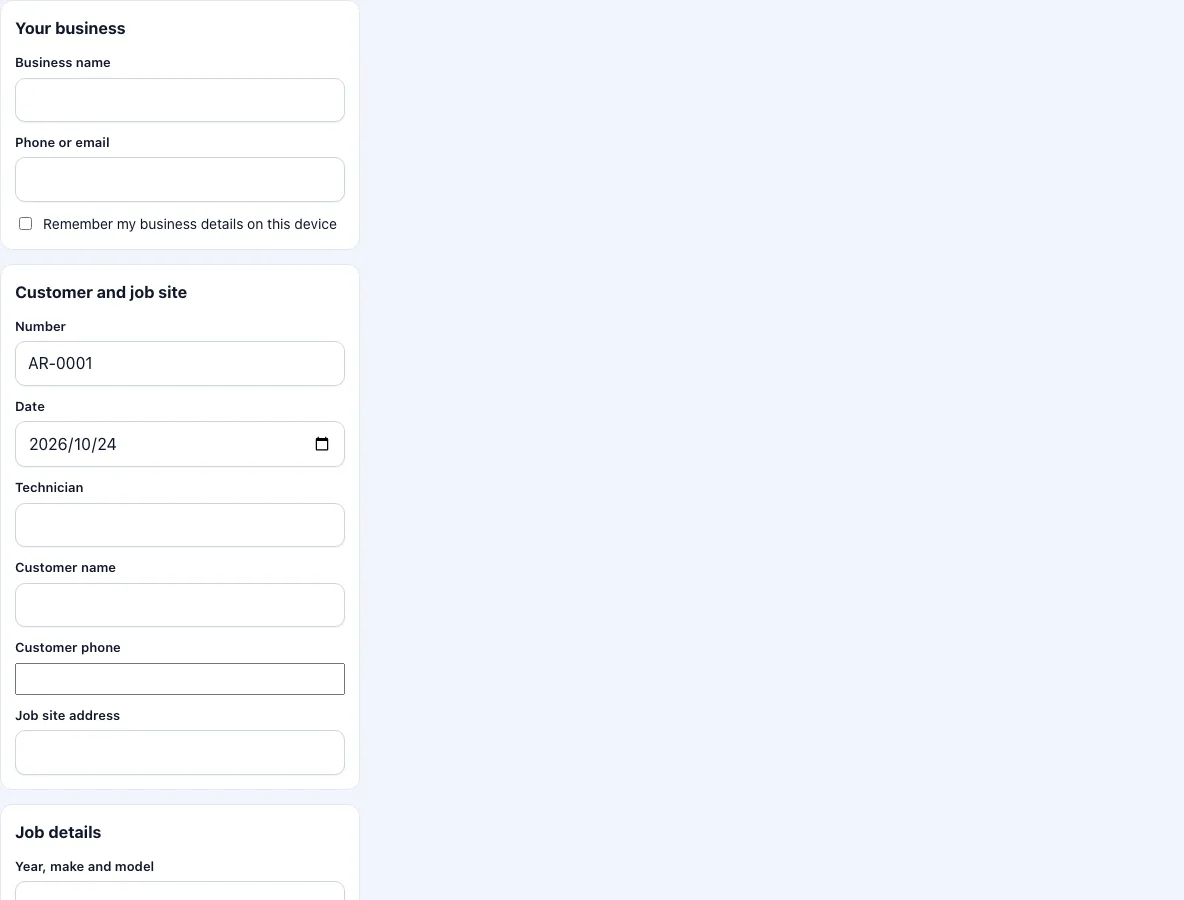
How to fill in the repair order
Add the shop name and phone, and tick the box to keep them on the device.
Check the number and date. Enter the technician, the customer name, phone and address.
Enter the year, make and model, the VIN, the plate and the odometer reading. Copy the VIN from the dashboard plate or the registration document and check it twice.
Under customer concern, write what the customer described, in their words.
Under diagnosis, write what you found after testing.
Under work performed, write the repairs, in the order you did them.
Go through the vehicle checks: brakes, tyre condition and pressure, fluid levels, lights, battery, wipers and a road test after the repair. Set OK, Fault or N/A.
Add parts with quantity and unit price, the labour hours and rate, and tax.
Photograph the vehicle on arrival and the repaired part. Add captions.
Collect the customer’s signature and press Download PDF.
Keep a copy of the PDF in the vehicle’s file. When the same car returns, the odometer and the parts of the last order show what changed since then.
If the customer approves extra work by phone, create a second PDF for the extra work with its own number, and note the first number in the work performed box.
What should an auto repair work order include?
The vehicle and its owner, the date, the odometer reading and a description of the work asked for. When the customer signs before work starts, the order authorises the repair at the estimated price; when they sign after, it records that the work was handed over. Many places have rules on estimates and on the return of replaced parts, which differ by state or country. This tool does not state those rules; check yours.
Why are concern, diagnosis and work performed separate?
They answer three different questions. The concern says what the customer reports, whether or not it turns out to be right. The diagnosis says what the shop found. The work performed says what was done about it. Keeping them apart shows the customer why the bill is what it is, and shows you later whether a repeat visit is the same fault or a new one.
Which vehicle checks are listed?
Brakes, tyre condition and pressure, fluid levels, lights, battery, wipers, and a road test after the repair. The list is the common set for a quick look at a vehicle. It is not an inspection standard, and a statutory inspection needs the form of the authority concerned.
What should I photograph?
The corners and panels of the vehicle when it arrives, the odometer, the warning lights on the dash, and the part that was replaced. A photo with the odometer in it fixes the reading in time.
Estimates, authorisation and approvals
A repair order often starts as an estimate: the customer brings the car in, the shop diagnoses it and phones with a price. Whether the customer must approve the price in writing, how far the final bill may exceed the estimate and how long a shop must keep replaced parts differ between countries and states. This form does not decide any of that. What it does is give you one place to write the date, the odometer, what was authorised and what was done, and to collect a signature when the customer picks the car up. If you agree an additional repair by phone, add a line under work performed with the time and who agreed to it.
Frequently asked questions
What should an auto repair work order include?
The vehicle details, customer, concern, diagnosis, work performed, parts, labour and the signature.
Can I use it for motorbikes or trucks?
Yes. The fields are generic. Use the licence plate field for any registration and the odometer field for the mileage or hours.
Does the page keep a list of customers or vehicles?
No. Your last text is kept as a draft on the device; there is no customer or vehicle database in the free version.
Can I show an estimate instead of a final price?
Write ESTIMATE at the top of the notes box; the tool prints what you enter there.
Does it print the VIN barcode?
No.
Can the customer sign twice, once to authorise and once to collect?
The PDF has one customer signature. For two signatures, download one PDF at drop-off with the estimate and the first signature, and another at pick-up with the final work and the second.
Does it work for fleet vehicles?
Yes. Put the fleet number in the plate field or the notes box. Each vehicle needs its own form.
How do I record a warranty repair?
Write WARRANTY at the top of the notes box and leave the price box unticked, or show the parts and hours without prices so that the document supports the claim you send to the manufacturer.
Related tools
- Work order template: the general work order.
- Work order generator: numbered blank forms for the counter.
- Service ticket template: short tickets with status.
- Work order example: filled-in examples to start from.
- Draw signature online: create a signature image.
- Work order forms: all the work order forms in one list.